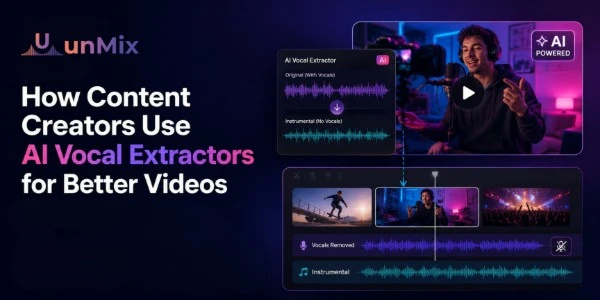
How Content Creators Use AI Vocal Extractors for Better Videos
- 29 May 2026
- 10:48
Most creators notice video problems long before they notice audio problems.
A thumbnail feels weak.
The lighting looks off.
The edit feels slow.
Those issues are easy to spot.
Audio is different.
Sometimes a creator spends hours tweaking a video without realizing the biggest problem isn't visual at all — it's that viewers are struggling to hear what's being said.
The strange part is that audiences rarely complain about this directly.
They simply stop watching.
That reality has pushed more creators toward tools like AI vocal extractors. Not because they want to become audio engineers, but because clear speech has become one of the easiest ways to make content feel more professional.
And in many cases, better audio improves a video more than another camera upgrade ever could.
Why Viewers Notice Bad Audio Faster Than Bad Video
Think about the last video you stopped watching.
There's a good chance it wasn't because the camera quality was terrible.
More often, it was because:
- the voice sounded distant
- background music felt too loud
- dialogue was difficult to understand
- multiple sounds competed for attention
People are surprisingly forgiving when it comes to visuals.
A video filmed on a phone can perform extremely well.
But when viewers have to work hard to understand what's being said, attention disappears quickly.
That's especially true today, when people are watching content while:
- commuting
- working
- exercising
- scrolling on mobile devices
- listening through earbuds
If the voice isn't clear, the message gets lost.
The Moment Many Creators Start Caring About Audio
For some creators, it happens after recording an interview.
For others, it's during a podcast.
Sometimes it's a travel vlog filmed in a busy environment.
The recording sounds fine while shooting.
Then the editing starts.
Suddenly the background music feels louder than expected.
The café ambience competes with the conversation.
The voice gets buried beneath everything else.
That’s usually the moment creators begin looking for better ways to separate speech from the rest of the audio. While many start by searching for a vocal remover, modern AI tools can do much more than simply isolate vocals.
Not because they're chasing perfection.
Because they want people to actually hear the content.
What an AI Vocal Extractor Actually Does
An AI vocal extractor separates spoken voices from other sounds inside a recording.
In practice, many creators use these tools as a music separator, allowing them to pull dialogue away from background music and gain more control over the final edit.
Instead of treating audio as one single layer, the system identifies different elements independently.
That might include:
- dialogue
- vocals
- music
- ambient noise
- instrumental layers
The result is much more flexibility during editing.
Creators can focus on the voice without completely rebuilding the entire project.
Why Podcast Creators Use Vocal Extraction
Podcasting has changed a lot over the last few years.
Episodes are no longer just audio files.
One conversation might become:
- a full podcast episode
- several YouTube clips
- Instagram reels
- TikTok videos
- LinkedIn content
The challenge is that audio which sounds balanced during a 60-minute podcast doesn't always work inside a 45-second clip.
Music becomes more noticeable.
Background sounds feel louder.
Dialogue competes with everything.
Many podcasters use AI vocal extraction to make sure the conversation stays at the center of the content.
Because ultimately, that's what people came to hear.
Why Reel Creators Care About Voice Clarity
Short-form content is a different game.
Viewers decide very quickly whether they're interested.
Sometimes within seconds.
That means creators don't have much room for audio issues.
One thing many reel creators discover is that background music that sounds great during editing can become distracting once the video reaches a phone speaker.
The music isn't necessarily bad.
It's simply competing with the message.
Extracting and isolating vocals allows creators to rebalance the content so viewers focus on the voice first and everything else second.
Voiceovers Are Often Cleaner After Vocal Extraction
A lot of creators assume vocal extraction is only useful when something goes wrong.
But that's not always the case.
Many YouTubers use it as part of their normal workflow.
For example, a creator might record:
- tutorials
- explainers
- educational videos
- product reviews
Even small background sounds can reduce clarity.
The viewer may not consciously notice the issue, but the overall experience feels less polished.
Cleaning the vocal layer often creates a noticeable improvement without changing the visual content at all.
How Creators Use unMix in Their Workflow
The process itself is usually straightforward.
Creators upload their video or audio file into unMix and allow the system to analyze the recording.
After processing, unMix separates the voice from background audio elements.
Depending on the project, creators might:
- “Use it as a music remover to eliminate background tracks completely “
- lower music volume
- isolate dialogue
- extract vocals for editing
- rebuild the audio mix
The goal isn't always to remove everything.
Sometimes the best result comes from simply giving the voice a little more space.
One Mistake Many Creators Make
A common assumption is that cleaner always means better.
That's not necessarily true.
Removing every bit of background sound can make content feel unnatural.
A travel vlog without any atmosphere feels strange.
A podcast without room ambience can sound sterile.
Many experienced creators don't aim for perfect silence.
They aim for balance.
The voice should lead the content, but the environment should still feel real.
That's often what separates natural-sounding edits from overprocessed ones.
Better Audio Usually Leads to Better Retention
Most creators spend a lot of time thinking about:
- thumbnails
- titles
- hooks
- editing pace
And those things matter.
But once somebody clicks the video, audio becomes part of the viewing experience.
Clear dialogue helps people:
- follow the story
- understand instructions
- stay engaged longer
- focus on the content itself
The improvement isn't always dramatic.
Sometimes it's subtle.
But subtle improvements often add up over hundreds or thousands of views.
Why AI Vocal Extraction Is Becoming More Common
The biggest change isn't the technology itself.
It's accessibility.
A few years ago, separating vocals from complex recordings required knowledge most creators didn't have.
Now it takes minutes.
That means creators spend less time fixing technical issues and more time creating content.
And honestly, that's probably the biggest benefit.
The technology stays in the background.
The creator stays focused on the audience.
Final Thoughts
Most successful creators eventually learn the same lesson:
People will tolerate average visuals longer than they'll tolerate confusing audio.
That's why vocal extraction has become such a useful part of modern content creation.
Not because it makes videos perfect.
Because it helps the audience focus on what matters.
The voice.
The story.
The message.
And when those things are clear, everything else tends to work a little better too.
Frequently Asked Questions
What is an AI vocal extractor?
An AI vocal extractor separates spoken dialogue or vocals from other sounds such as music, ambience, and background audio.
Why do content creators use AI vocal extractors?
Creators use them to improve voice clarity, reduce distractions, clean up recordings, and make videos easier to follow.
Can vocal extraction help podcast clips?
Yes. Many podcasters use vocal extraction to make conversations clearer when repurposing long episodes into shorter clips.
Is vocal extraction useful for YouTube videos?
Absolutely. Clear dialogue helps viewers understand content more easily and often improves the overall viewing experience.