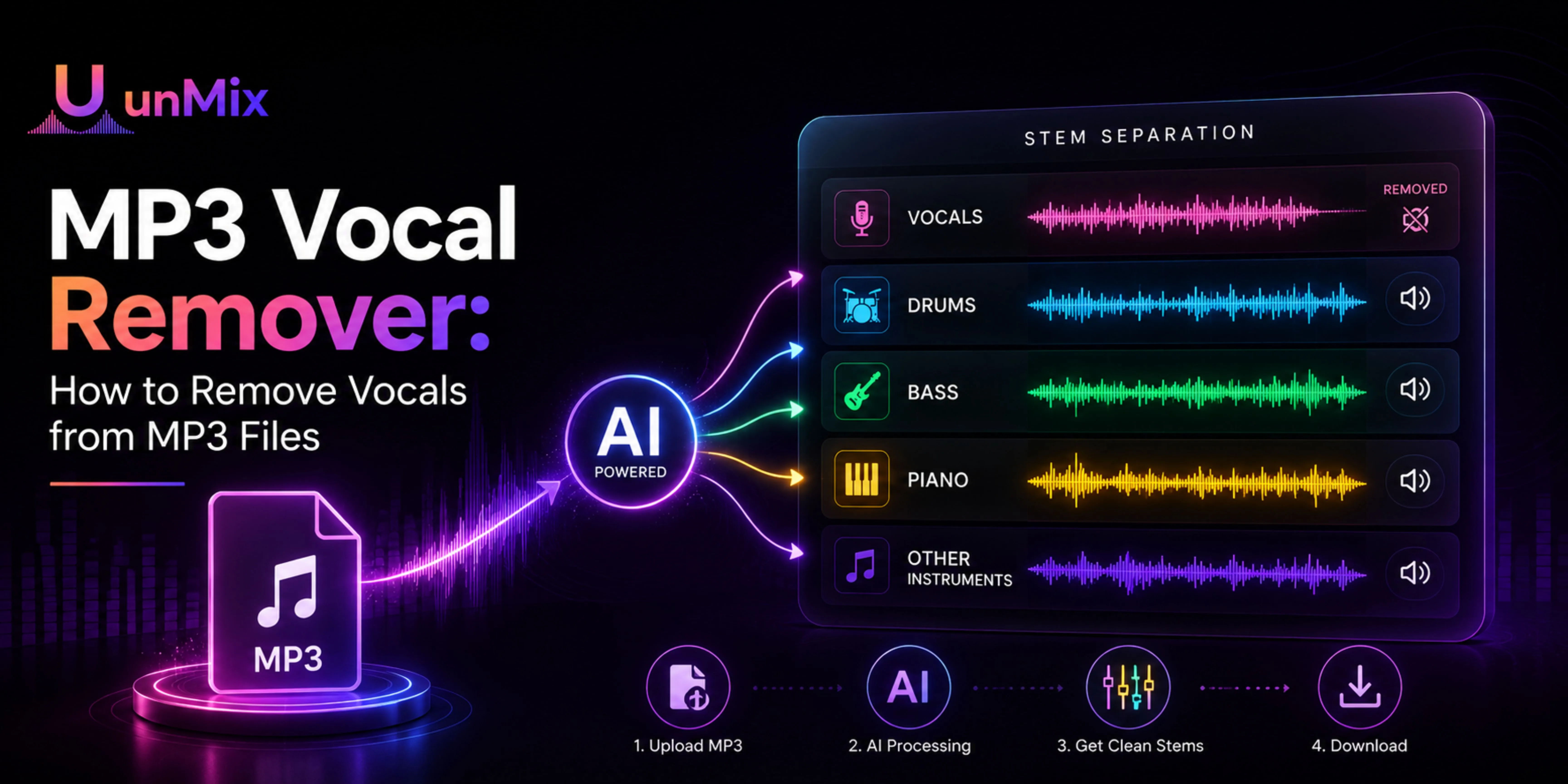
MP3 Vocal Remover: How to Remove Vocals from MP3 Files
- 29 Jul 2026
- 10:56
If you have an MP3 song and want to remove the vocals from it, you're certainly not the only one. It's one of the most common reasons people search for AI audio tools today.
Maybe you're looking for a karaoke version of your favourite song. Perhaps you want to practise singing without the original artist's voice getting in the way. Or maybe you're a DJ, music producer, or content creator who needs an instrumental track for a remix or video.
Whatever the reason, the process has become much easier than it used to be.
Not long ago, removing vocals from an MP3 file often meant downloading complicated audio software, adjusting frequency filters, and hoping the final result sounded usable. Even then, the vocals rarely disappeared completely. More often than not, parts of the music vanished along with them, leaving behind an instrumental that sounded hollow or distorted.
That's no longer the case.
Modern vocal removers analyse the entire recording instead of simply cutting out certain frequencies. As a result, they can separate vocals and instruments much more accurately while preserving the overall quality of the music.
If you're wondering how to remove vocals from an MP3 file, the process is much simpler than most people expect.
Can You Really Remove Vocals from an MP3 File?
The short answer is yes.
The MP3 format is basically a format of compressed audio. Even though there will be loss of some audio details when compression occurs, the current technology in the form of artificial intelligence can easily do the analysis and separate audio elements from the file with ease.
In essence, the truth that your file is an MP3 does not hinder the process of vocal removal in any way.
The most important thing is the quality of your recording.
High-bitrate MP3s will work better than highly compressed files because much more audio detail will have been retained. Songs that have vocals that stand out easily compared to songs that have too many harmonies and noises.
That doesn't mean lower-quality MP3 files can't be separated—they often can. It simply means the final result may contain a few more artefacts than a cleaner source file.
For everyday use, though, an MP3 works perfectly well. Whether you're creating a backing track for practice or extracting vocals for a remix, most users won't notice a significant difference.
Why Do People Remove Vocals from MP3 Songs?
Asking a dozen people why they remove vocals from songs will most likely provide you with a dozen different responses.
Some people use it just for fun purposes. Singing karaoke with their friends turns into much more entertaining experience when vocal parts of the original track are gone and there are only instrumentals left.
For musicians, the motivation is different. They do not create karaoke tracks; they need instrumental tracks without vocals in order to rehearse before going on stage or performing on auditions.
Content creators also use vocal extraction as a tool. Without the lyrics, the song becomes less distracting background for videos, podcasts or presentations, but still retains its emotional coloring.
Finally, there are DJs and music producers.
Instead of stripping songs from vocals completely, they usually isolate vocal tracks in order to use them for making mashups, remixes and even entirely new tracks. Extraction of vocals from an MP3 file provides them with a creative freedom without having access to studio versions.
The technology used in both cases is the same.
The reason for using it is different.
How Does an AI MP3 Vocal Remover Work?
This is where many people expect a complicated technical explanation.
Fortunately, you don't need one to understand what's happening.
Older vocal removal tools tried to eliminate voices by targeting the frequency range where vocals usually sit. While that approach sometimes reduced the singer's voice, it also removed instruments occupying similar frequencies. The result was rarely clean.
Modern AI vocal remover approaches the problem differently.
Instead of looking only at frequencies, it analyses patterns across the entire song. Having been trained on countless examples of vocals, drums, bass, guitars, pianos, and other instruments, the AI learns how these elements behave inside a recording.
When you upload an MP3, the software examines the complete mix, predicts which sounds belong to the vocal track, and separates them from the accompanying music.
The process takes only a few moments, but there's a significant amount of analysis happening behind the scenes.
The important thing for most users isn't how the AI reaches its decisions—it's that the resulting vocal and instrumental tracks sound clean enough to use without hours of manual editing.
How to Remove Vocals from an MP3 File
Removing vocals from an MP3 file is simple. With unMix, it only takes a few minutes. You don't need any audio editing experience or complicated software. Simply upload your MP3, let the AI process the track, and download the vocal or instrumental version you need.
Step 1: Open unMix
Launch the unMix app or open the website to get started.
Step 2: Upload Your MP3 File
Select and upload the MP3 file you want to separate.
Step 3: Choose the Separation Option
Select Vocal Remover to separate the vocals from the instrumental.
Step 4: Let AI Process the Song
Wait a few seconds while unMix analyses your audio and separates the vocals from the music.
Step 5: Preview and Download
Preview the separated tracks, then download the vocals, instrumental, or both—ready for karaoke, practice, remixing, or content creation.
Does MP3 Quality Affect the Results?
It's a fair question because not all MP3 files are created equal.
If you've ever compared a 320 kbps MP3 with an older file downloaded years ago, you've probably noticed that one sounds much cleaner than the other. That same difference can influence how well AI separates vocals from the music.
Higher-quality MP3s generally contain more audio detail. That gives the AI more information to analyse, often leading to cleaner vocal isolation and more natural-sounding instrumentals.
Lower-bitrate files, on the other hand, have already lost some of that information during compression. Even though the AI is still capable of separating the vocals from the instrumental, some minor artefacts or distortions are possible due to the already lost data in the original file.
Finally, the track itself should be considered.
An acoustic song performed by just one vocalist and several instruments will be easier to separate than a complex pop production which includes many layers, such as harmonies, electronic sound effects and overlapping instruments. In this case, the AI has to differentiate between many sounds that take place in almost identical areas of the mix.
It shouldn't be thought that the track should be perfectly recorded before removing the vocals.
For most everyday purposes, even regular MP3 files will give sufficient results for singing practice, karaoke or any other purpose.
Choosing the Best MP3 Vocal Remover
Search online and you'll find dozens of tools promising to remove vocals from MP3 files. Some are built into professional music production software, while others are designed for anyone who wants quick results without a steep learning curve.
Rather than asking which tool has the most features, it's often more useful to ask which one fits the way you work.
If you're creating karaoke tracks, you'll probably care most about clean instrumentals. Producers may need separate vocal and instrumental stems for remixing. Teachers and students often want something that's simple enough to use without reading tutorials first.
A good MP3 vocal remover should deliver three things consistently.
First of all, the separated tracks must sound natural enough to be usable. Secondly, the process must be easy without the need to set up difficult configurations before each upload. Lastly, the program needs to be compatible with popular audio formats so that you would not have to convert your files before proceeding.
If your only objective is to strip an MP3 of its vocals with the help of technology, a solution such as unMix will make your life easier. Simply upload your file, let the AI take care of processing it, preview the result, and download either the isolated vocals or the instrumental track depending on your needs.
Good software will make audio editing seem less technical.
Conclusion
MP3 is one of the most widely used audio formats of all time, which explains why people tend to start working on removing vocals from an audio file by starting out with an MP3 file saved on their computer or phone.
The great thing about it is that there is no need to convert it into another format or learn how to edit it first.
Modern AI has changed the process completely.
Instead of spending hours experimenting with filters and hoping for acceptable results, you can upload an MP3, let the software analyse the recording, and receive separate vocal and instrumental tracks within minutes. For musicians, DJs, singers, creators, and anyone curious about music production, that opens up creative possibilities that were once limited to professional studios.
The technology will continue to improve, but one thing has already changed for good.
Removing vocals from an MP3 file is no longer a specialised skill.
It's something almost anyone can do.
If you've never tried it before, pick a favourite song, upload the MP3, and listen to each part separately. Hearing the vocal and instrumental on their own is often the quickest way to appreciate just how far AI audio technology has come.